
Life Bible
Tecarta, Inc.Books & Reference
4.816.86K Reviews
- Version
- 10.2.557
- Installs
- 1.00M
- Age Rating
- Everyone
Screenshots
Our Review of Life Bible
 Analysis by Appyee
Sharing a Bible app at home can be useful, but it works best when everyone treats it as a reading tool rather than a shared personal journal. I found Life Bible most helpful when I wanted to move between a passage, a reading plan, and study material without turning a quiet moment into a search across several apps. For a household, that same range can support different routines: one person can listen while getting ready, another can read a few verses at breakfast, and someone else can use commentaries for a slower study. The trade-off is that a shared device can blur whose notes and bookmarks are whose, so I would agree on simple boundaries before making it the family’s default Bible app.
One device, several reading routines
A realistic use for a shared tablet is keeping it in a common room for a short morning reading. One person might open a daily verse, while another chooses a plan that gives the reading more structure. Later, someone who prefers listening can use the audio option. That mix is more practical than expecting everyone in the household to follow the same plan or use the app in the same way.
I would keep shared use modest, though. A tablet left open to a particular passage is convenient, but personal highlights or notes may reflect one reader’s thoughts rather than everyone’s. If several people want to build their own history of study, separate devices—or a clear habit of checking which person is using the app—may be a better fit than treating one installation as a fully shared family account.
Set expectations before adding personal notes
Highlights, bookmarks, and notes are among the app’s useful study tools, but they also make the experience personal. Before a family member adds private reflections on a shared device, I’d first check how the app behaves across the household’s devices and accounts. The important point is not to assume that one person’s reading record will automatically stay separate from another’s. A quick test with a non-sensitive bookmark can help establish what the household should expect.
For a child or a new Bible reader, I’d start with a short, agreed reading rather than handing over a device full of someone else’s accumulated notes. That keeps the passage itself in focus and avoids confusing another person’s interpretation with the text. I also wouldn’t rely on this app as a substitute for household device rules: it is a Bible-reading and study app, not something I’d treat as a parental-control system.
Coordinate plans without forcing one shared pace
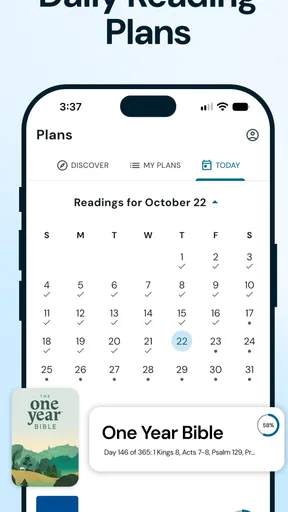
Reading plans can help a household coordinate, but they do not have to become a group assignment. A couple or small study group might agree to read the same theme during the week, then talk about one passage over dinner. Someone with less time can still open the reading when it suits them, while a more dedicated reader can explore related study material at their own pace.
My practical tip is to choose a plan based on the time people genuinely have, not the routine they wish they had. A small, repeatable reading is easier to share than an ambitious schedule that turns into a source of guilt. If the household values discussion, it can help to bring one question or observation to the conversation rather than expecting everyone to arrive with matching notes.
Age, trust, and what the rating means
The app is rated for Everyone, which makes it broadly accessible as a reading resource, but that does not mean every family will want to give every child unrestricted access to a shared phone or tablet. I’d still consider the child’s reading level, the family’s approach to religious education, and ordinary device boundaries. Adults can help younger readers choose a passage or explain unfamiliar language, especially when study material adds context beyond a simple reading.
Life Bible is made by Tecarta, Inc. and sits in the Books & Reference category. Its 4.8 average from around 105,000 ratings and more than a million installs suggest that it has reached a substantial audience, though popularity is not a substitute for checking whether its reading style suits your household. The app is free to install, with optional in-app purchases ranging from $0.99 to $299.99 per item, so I’d look carefully at what is being offered before making a purchase, particularly on a device used by more than one person.
First Impressions: A Seamless Experience
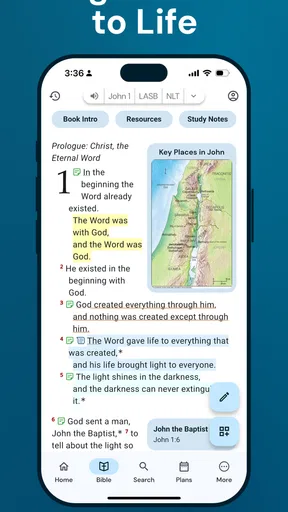
From the moment you open the Life Bible app, you’re greeted with a user-friendly interface that’s both sleek and intuitive. It’s designed to make navigation easy, so you won’t find yourself fumbling around trying to locate your favorite passages or features. The app loads quickly, which is a massive plus for those of us who are always on the go.
Features That Stand Out
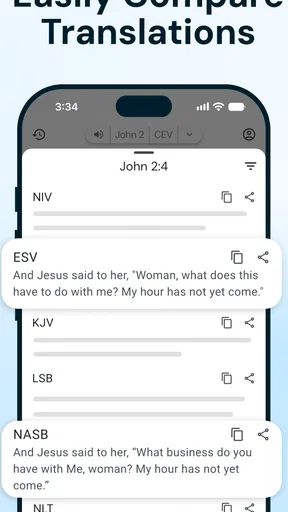
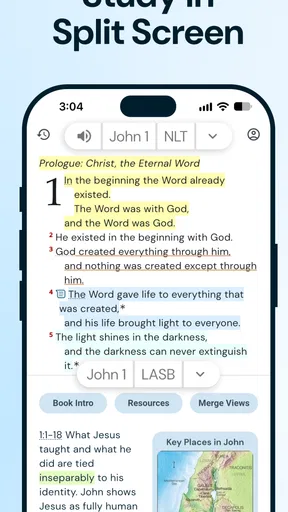
Let’s dive into some of the standout features. One of the first things I noticed was the sheer variety of Bible translations available. From the New International Version (NIV) to the King James Version (KJV), and even some lesser-known translations, there’s a version for everyone’s preference.
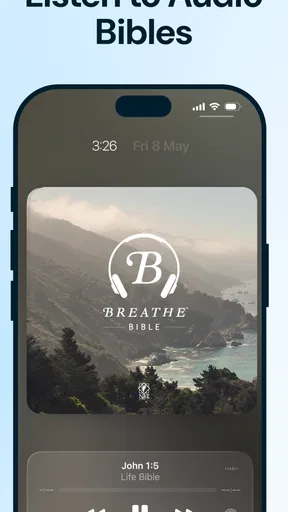
Another feature that blew me away was the audio Bible option. On days when reading just isn’t in the cards, you can pop in your earbuds and listen to the Word instead. It’s perfect for multitasking or those long commutes.
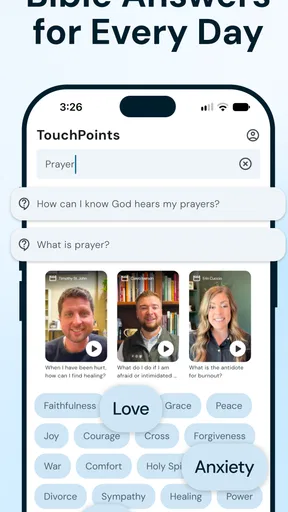
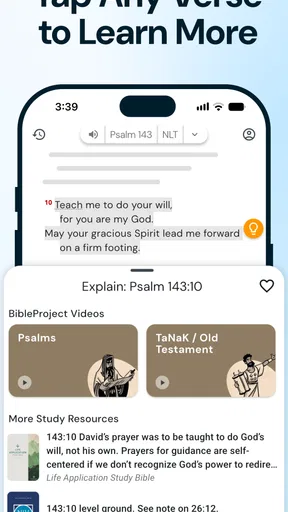
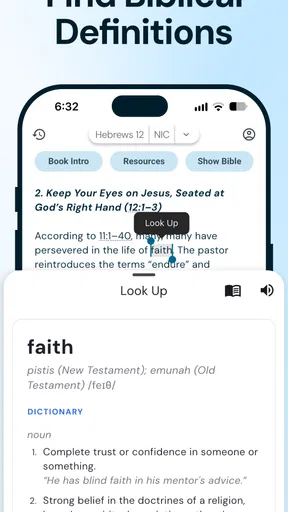
For those who like to study in-depth, the app includes commentaries and study plans. The plans are diverse, covering everything from daily devotionals to themed studies like forgiveness or love. It’s like having a personal study guide right in your pocket.
Customization and Personalization
I’m a sucker for personalization, and the Life Bible app doesn’t disappoint. You can highlight verses, add notes, and even bookmark your favorite passages. It’s like having a digital journal combined with your Bible, which makes reflecting on past entries super easy.
The app also allows you to change the font size and style, which is great if you want to make reading more comfortable. Plus, the night mode feature is a lifesaver for late-night reading sessions.
Social and Community Features
One thing that sets the Life Bible app apart is its social features. You can connect with friends, share insights, and even join Bible study groups within the app. It’s a wonderful way to engage with a community and share your spiritual journey with others.
There are also daily verses and inspirational quotes that you can share directly to your social media platforms. It’s a neat way to spread positivity and encouragement to your friends and followers.
Choosing it over a simpler Bible reader
Compared with a bare-bones Bible app that mainly opens the text, Life Bible is more appealing when I want reading, listening, and study resources together. That convenience comes with a learning trade-off: a person who only wants to look up one verse may find the extra choices unnecessary. If your priority is a quiet, uncluttered reading screen, a simpler reader may suit you better; if you often move from a verse to a plan or commentary, this all-in-one approach is easier to stick with.
I also wouldn’t choose it solely for community. Sharing and group tools can make study feel less solitary, but they matter most when you already have people to read with or a reason to discuss a passage. Someone who prefers private reflection can use the core reading and study experience without making social activity the center of their routine.
Small habits that make the app more useful
One useful workflow is to start with a short reading plan, then bookmark a passage that deserves a second look instead of trying to write a note on every session. Later, a commentary can help you examine that passage in more depth. This keeps the app’s personal tools purposeful; otherwise, a long list of saved items can become harder to revisit than the printed notes it replaced.
Audio is another way to make a routine more flexible, but I’d use it when listening is genuinely convenient, not as a replacement for every kind of study. A commute or household chore can be a good time to hear a reading, while a quiet break is better for following cross-references or adding a thoughtful note. The strength is being able to choose a mode that fits the moment, not expecting one mode to do everything.
What to check before settling in
The current version is 10.2.270, and the app requires Android 8.0 or later. That matters if you are considering installing it on an older spare phone for a child or keeping it on a household tablet; check the device’s system version first. It is available at no upfront cost, but the optional purchases mean I would review the purchase screen with care rather than assuming every study resource is included free.
For anyone wondering whether it works for a beginner, I think it can, especially if they begin with a manageable reading plan and use notes or bookmarks only when those tools help. A reader who already has a preferred translation or a very particular study method may want to compare the available choices before making it their main app. The broad set of tools is a plus for curious readers, but it is not automatically an advantage for someone who wants only a plain text Bible.
A practical fit for the household
In my view, the best household setup is one where each person has a clear way to use the app without assuming that everyone shares the same account habits, reading pace, or comfort with social features. It can support a family reading moment, a personal audio routine, or a deeper individual study, but those are distinct uses. A brief conversation about whose device it is, what notes are meant to be private, and whether purchases need adult approval can prevent avoidable friction.
I would recommend it to readers who want more than a digital copy of the Bible and are willing to explore plans, commentaries, audio, and personal study tools. I’d be more cautious if you want a completely minimal reader, a guaranteed separation of several people’s personal records on one device, or an app to manage children’s access. Those are different needs, and I would not assume this app solves them just because it can be used by a household.
Final Thoughts: A Must-Have for Bible Enthusiasts
All in all, the Life Bible app is more than just a digital Bible. It’s a comprehensive tool for anyone looking to deepen their faith and understanding of the scriptures. With its user-friendly design, diverse features, and community aspects, it’s hard to find a reason not to download it.
If you’re searching for a reliable, feature-rich Bible app, look no further. Go ahead and give it a try—you might just find it becoming a staple in your daily routine. Happy exploring!
Verdict
Strengths of Life Bible
- User-friendly interface for easy navigation.
- Offline access to scriptures and notes.
- Daily devotionals to inspire daily routines.
- Customizable reading plans and reminders.
- Audio feature for hands-free listening.
Limitations of Life Bible
- In-app purchases can be pricey.
- Limited translations in free version.
- Frequent ads in the free version.
- Occasional sync issues with notes.
- Requires internet for full functionality.
Other Releases by Tecarta, Inc.
View All
Holy Bible King James + Audio
Books & Reference4.8

NIV Bible
Books & Reference4.9

Life Application Study Bible
Books & Reference4.7
Similar Picks in This Category
View All
Google Play Books & Audiobooks
Google LLC4.7

네이버 - NAVER
NAVER Corp.3.5

Wattpad - Read & Write Stories
Wattpad.com3.7

King James Bible - Verse+Audio
Ozion4.8

Bible Offline-KJV Holy Bible
Bíblia Offline4.9

Amazon Kindle: Reading App
Amazon Mobile LLC4.8
Frequently Asked Questions
What features does Life Bible offer to enhance my study experience?
Life Bible offers a comprehensive suite of features designed to enhance your study experience. These include an extensive library of Bible versions, daily devotionals, and interactive study plans. You can also access commentaries, highlight passages, and take notes. The app's search functionality allows you to find specific verses or topics quickly.
Is Life Bible available for both Android and iOS devices?
Yes, Life Bible is available for both Android and iOS devices. You can download it from the Google Play Store for Android and the Apple App Store for iOS. The app is designed to provide a seamless experience across different platforms, ensuring you have access to your study materials wherever you are.
Does Life Bible require an internet connection to function?
While an internet connection is required to download the app and access certain features like new devotionals and updates, Life Bible offers offline access to previously downloaded Bible versions and notes. This ensures you can continue your study sessions without interruption, even when you're offline.
Are there any in-app purchases or subscriptions in Life Bible?
Life Bible offers a range of free features, but there are also premium options available through in-app purchases. These may include access to additional Bible versions, exclusive devotionals, and advanced study tools. Users can choose a subscription plan that best fits their needs, with options for monthly or annual payments.
How does Life Bible ensure the accuracy of its content?
Life Bible collaborates with reputable publishers and scholars to ensure the accuracy of its content. The app includes well-respected translations and versions of the Bible, and the commentaries are curated from trusted sources. Regular updates are made to incorporate the latest scholarly research and feedback from the user community.
